Beat your
last session.
Verto plans your gym week, prefills every target from last time and shows exactly how your strength is climbing. Log a set in one tap — then get back under the bar.
- 900+
- gym exercises
- 1 tap
- to log a set
- 7-day
- muscle map
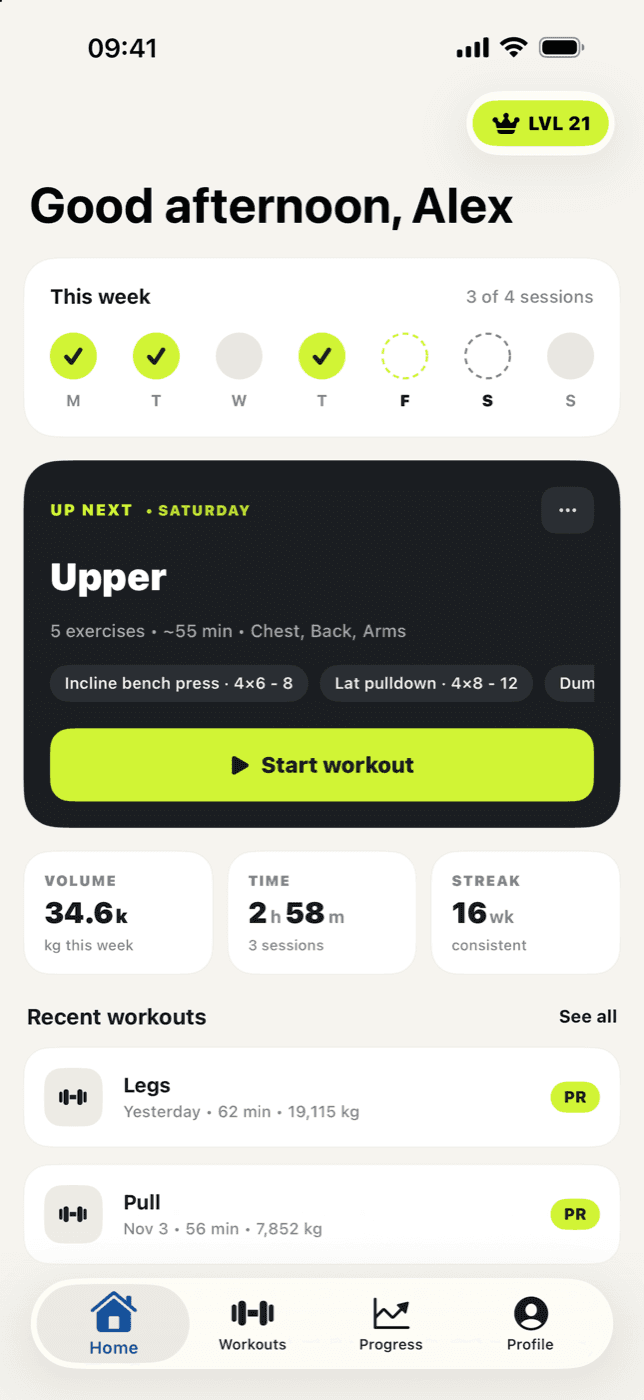
Less thinking.
More lifting.
Verto handles the planning, the numbers and the remembering, so every session picks up exactly where the last one left off.
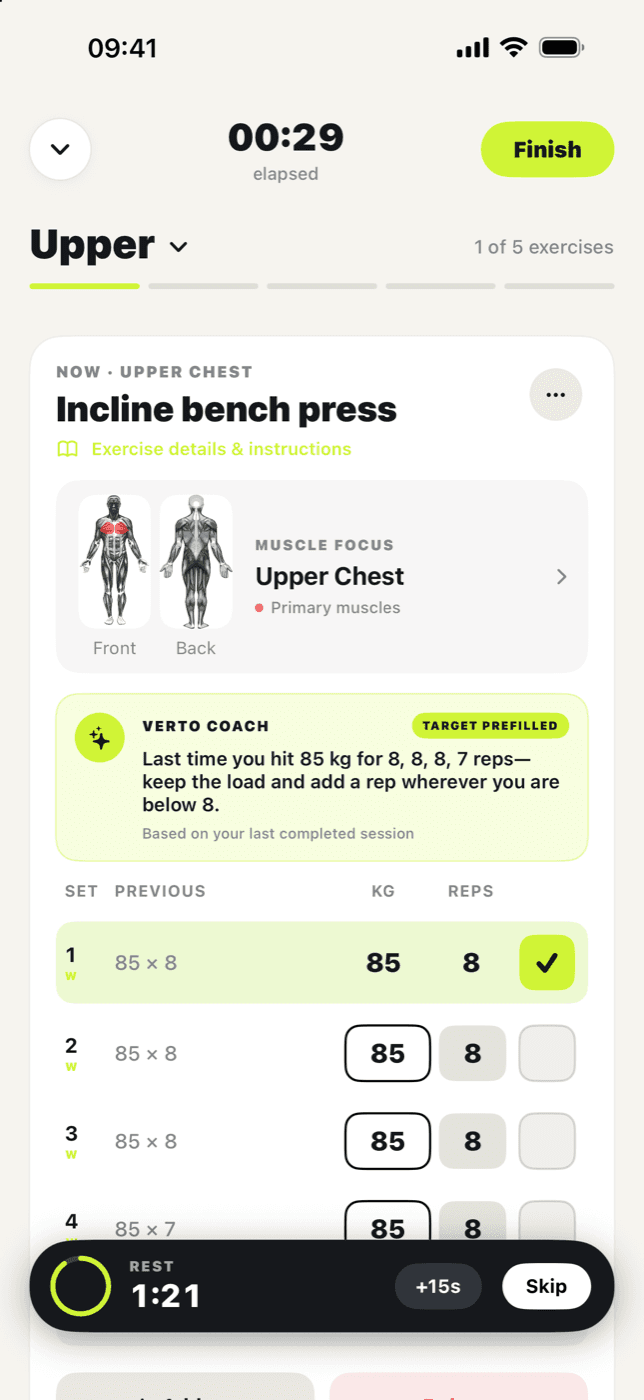
Your last session is the bar to beat.
Every set starts prefilled with what you lifted last time, and Verto Coach tells you exactly what to do today — keep the load and add a rep, or step up the weight.
- One-tap set logging
- Rest timer on your Lock Screen
- Swap exercises for today or for good
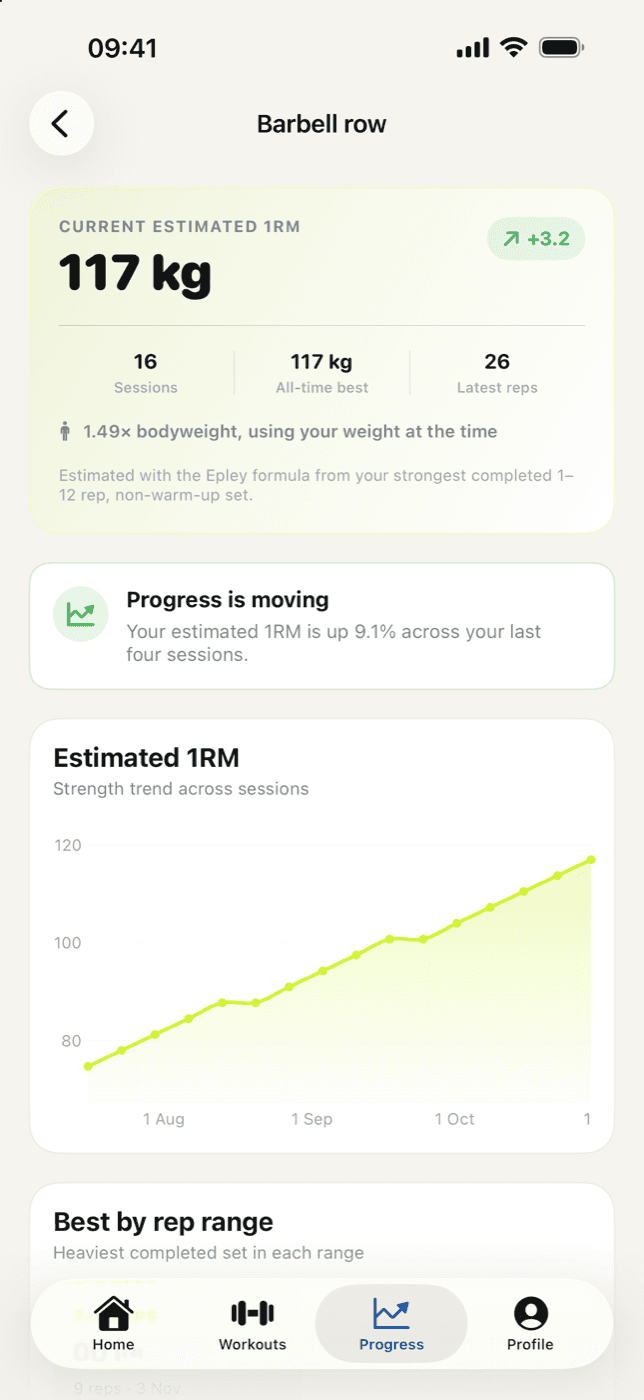
Watch your strength climb.
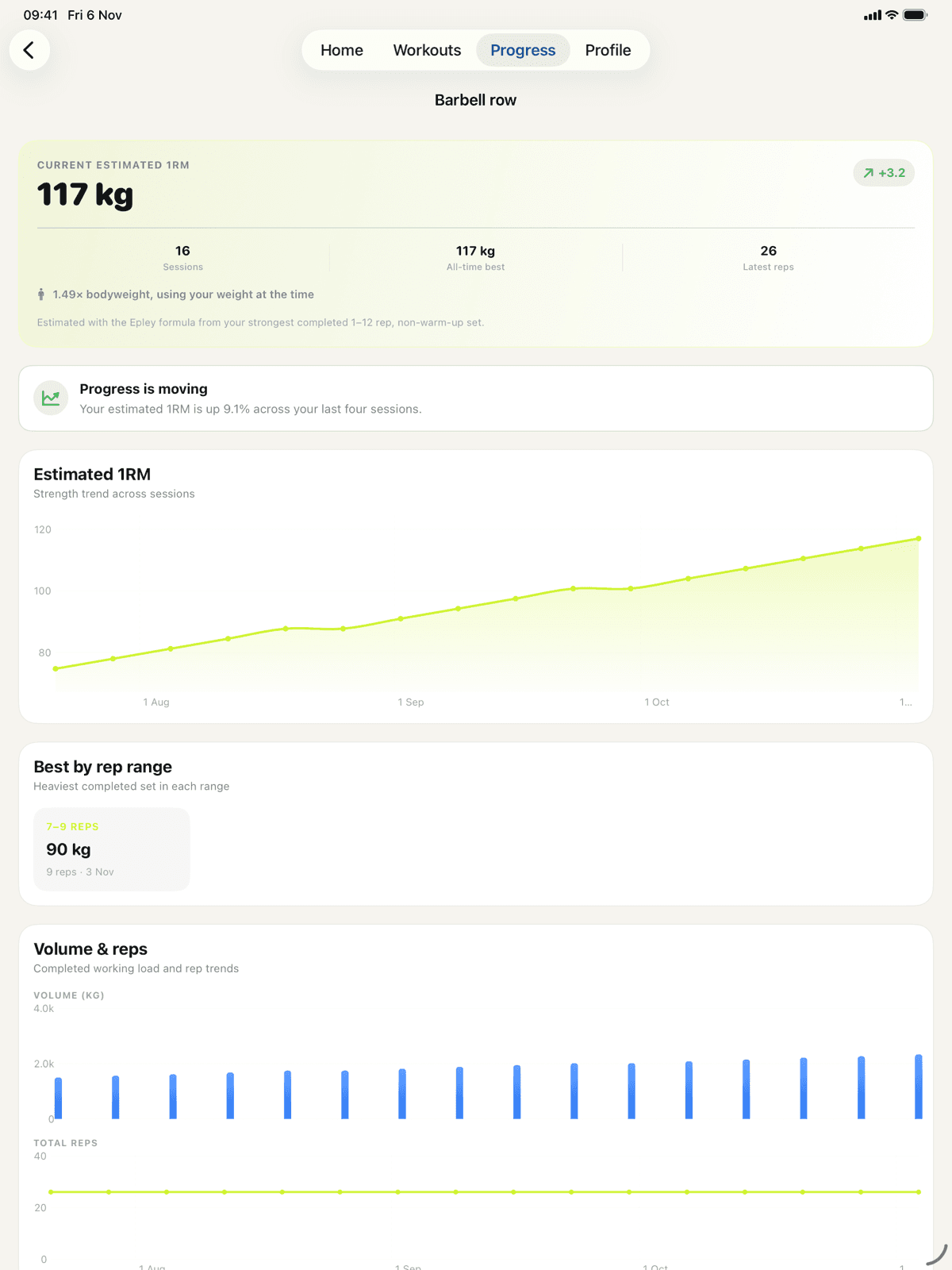
Estimated 1RM for every lift, best sets by rep range and strength relative to your bodyweight. When progress stalls, you'll know — and why.
- Epley-based 1RM trends
- Rep-range personal records
- Plateau detection across sessions
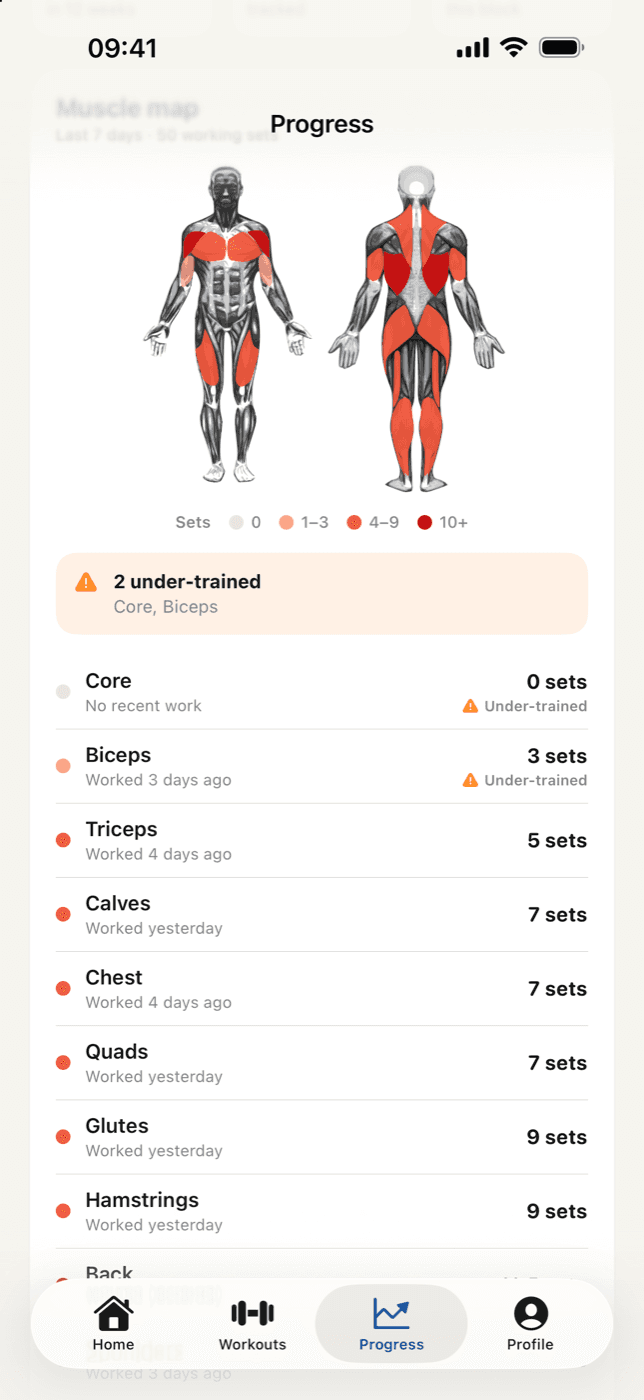
Spot the muscles you're skipping.
Your last 7 days colour a full body map. Every muscle group shows its working sets and when you last hit it, with under-trained groups flagged.
- Front and back body diagrams
- Secondary muscles count as half
- Warm-ups never inflate the count
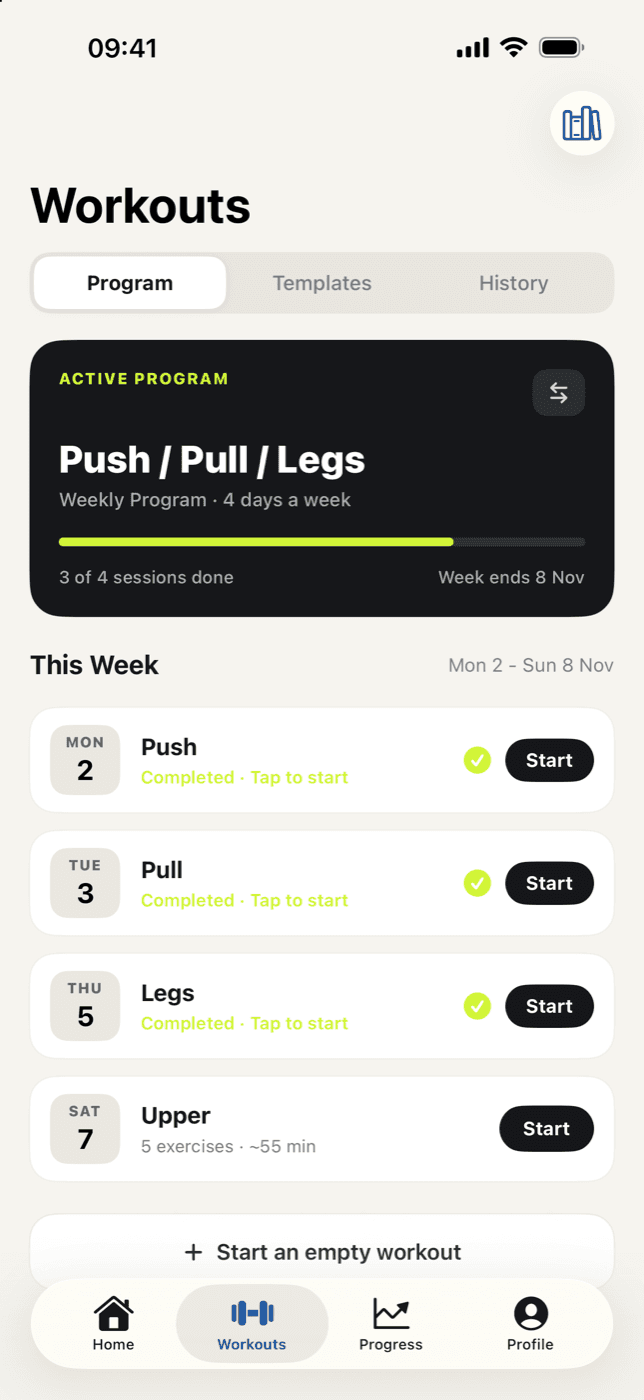
A plan that fits your week.
Pick your split and the days you can train. Verto lays out the week, keeps the next session one tap away and adapts when life gets in the way.
- Popular splits or fully custom
- Choose your gym days
- Up Next on your Home Screen
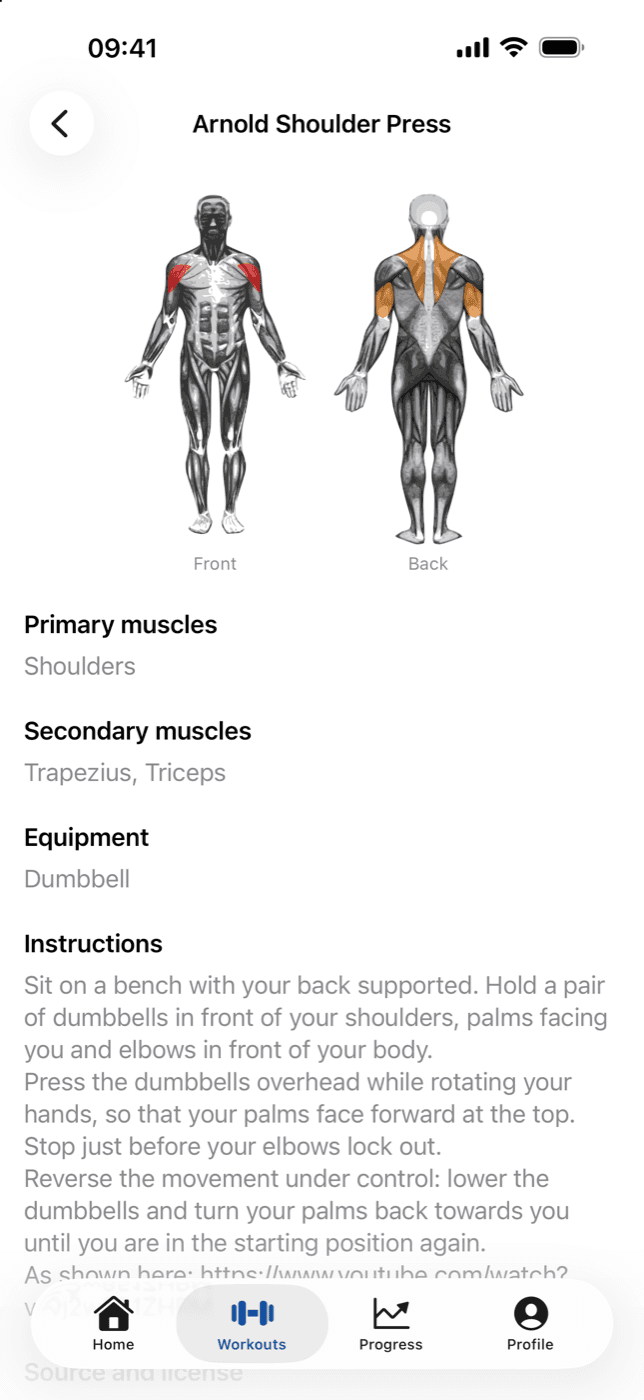
900+ exercises, clearly explained.
Filter by muscle or equipment and see exactly what each move works, with instructions and muscle diagrams that keep working offline.
- Search by muscle or equipment
- Step-by-step instructions
- Add your own custom moves
It's with you between every set.
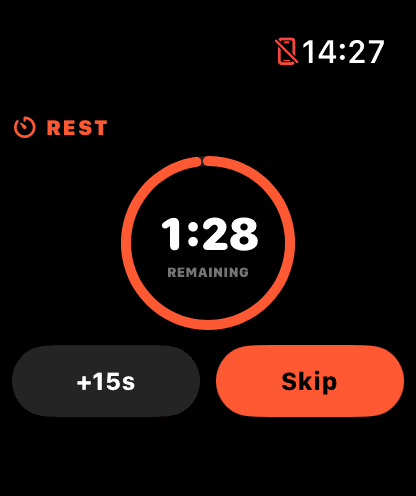
Rest timer on your wrist.
Track sets and rest from the Watch companion. Add 15 seconds or skip without reaching for your phone.
Log a set from the Lock Screen.
The rest countdown lives on your Lock Screen and Dynamic Island, with a Log Set button that can't double-count.
Lighter weeks, on cue
When lifts stall under strain, Verto suggests a deload: ~10% less weight and a third fewer sets for 7 days.
Siri & Shortcuts
“Start today's workout” or “Log next set” — hands-free, without opening the app.
Home & Lock Screen widgets
Your next workout and weekly progress, always a glance away.
Apple Health bodyweight
Sync a year of weigh-ins and see strength relative to your bodyweight at the time.
Your data, your file
Export a full JSON backup or a CSV of every set. Imports never duplicate.
Room to see the whole picture.
Review your training on the big screen, with layouts made for iPad and every workout in sync.
What devices does Verto run on?+
Verto runs on iPhone and iPad with iOS 26 or later, with a companion app for Apple Watch on watchOS 26 or later.
Do I need an account?+
No. Your workouts, routines and records are stored on your device. You can export a full backup any time from Profile → Your Data.
Does it work offline?+
Yes. Logging workouts, the muscle map and your progress all work offline. The exercise library downloads once and stays available without a connection; it refreshes weekly when you're online.
How does Verto know what to lift?+
Each set is prefilled from your last completed session, and Verto Coach suggests whether to add reps or weight based on how that session went.
What's a lighter week?+
If several lifts stall while you're pushing hard, Verto suggests a deload week: about 10% less weight and a third fewer sets for 7 days. Those sessions don't count against your progression or plateau checks.
Can I move my data out?+
Export a JSON backup of workouts, routines, notes, bodyweight and personal records, or a CSV of every completed set. Re-importing a backup only adds what's missing, so nothing gets duplicated.
Your next PR is one session away.
Download Verto and plan your first week in under a minute.